How to Register a Binance Account in Pakistan (CNIC Verification, Referral Code, 2FA)
Opening a Binance account in Pakistan takes about 10 minutes, and identity verification with your CNIC is often approved within minutes (Binance says most reviews finish within 48 hours). Two choices can’t be changed later: the referral code, which can only be added while you register, and the account type (personal or entity). Get those right, verify your identity, switch on two-factor authentication, and your account is ready for USDT on P2P.
What you need
| Details | |
|---|---|
| Age | 18 or older |
| Email or phone | An email you’ll keep, or your own +92 mobile number |
| Identity document | Your CNIC (or a passport or driving licence), valid and not expired |
| Phone with a camera | For the face check |
| Bank account or wallet in your name | For paying on P2P later: bank (IBAN or Raast), Easypaisa, SadaPay or NayaPay |
Use your own details throughout. The name on your CNIC, your Binance account and your bank or wallet must all match, or P2P sellers will refuse or refund your payments.
Step 1: Open the sign-up page
Go to binance.com and tap Sign Up, or install the Binance app from Google Play or the App Store. Check the address bar: fake Binance pages are common in Pakistani WhatsApp and Telegram groups, and a page that only looks like Binance can steal your password and CNIC photos. Never install an APK file someone sends you.
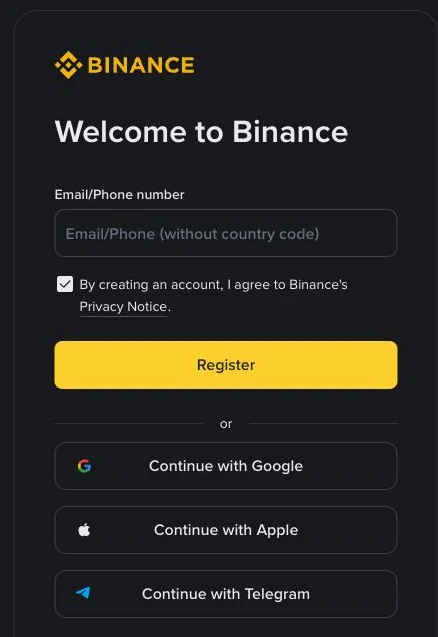
Step 2: Sign up with email or phone
Enter your email, or your mobile number. The field says without country code because the code is chosen separately: with +92 selected, type your number as 3XX XXXXXXX, without the leading 0. Typing +92 or 0092 again is the most common reason a code never arrives.
You can also continue with Google, Apple or Telegram. That’s fine, but that account then becomes the key to your Binance account, so make sure it’s secured too.
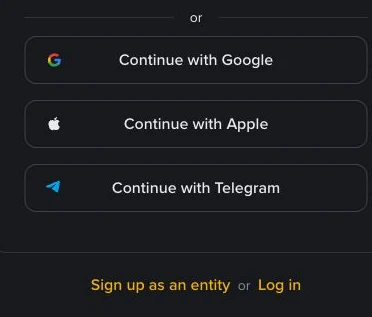
Don’t tap “Sign up as an entity” unless you’re registering a company. The account type can’t be changed after registration, and an entity account needs company documents to verify.
Step 3: Enter the code and create a password
Binance sends a 6-digit code to your email or phone. Enter it within 30 minutes. If it doesn’t arrive, check spam, check the number or address you typed, and wait for the countdown before asking for a new one. Use the newest code only.
Your password needs at least 8 characters, one uppercase letter and one number. Use one you don’t use anywhere else, and never your CNIC number or date of birth.
Step 4: Add the referral code before you finish
The referral code is entered during registration, and once linked it can’t be added or changed. If you open the account through a referral link, including the button at the end of this guide, the code is usually filled in automatically. Check that it’s there before you confirm.
A referral code doesn’t change the P2P price you pay. Any sign-up offers have their own conditions on Binance’s site.
Step 5: Verify your identity with your CNIC
Until you’re verified, a new account is Withdraw Only: you can’t buy, deposit or use P2P. Start verification from Account → Identification, or tap Get Verified on the home screen.
- Residence: Pakistan, if that’s where you live.
- Document issuing country: Pakistan, for a CNIC or Pakistani passport.
- Document type: choose ID Card for your CNIC. Passport and driving licence are the alternatives.
- Upload the front and back of the original card: all four corners visible, no glare over the photo or numbers, no photocopies or screenshots.
- Face check (liveness): face centred, good light, no cap, glasses or filters.
- Confirm your personal information. Check your name and date of birth against the card. Once confirmed, it can’t be edited.
Binance says most applications are reviewed within 48 hours. You’ll see the result under Identification.
Why CNIC verification fails, and what to do
| Message or cause | Fix |
|---|---|
| Photo blurry, glare, corners cut off | Retake on a plain dark surface in daylight, phone held flat above the card |
| Document expired | Renew your CNIC with NADRA first; an expired card is rejected |
| Name doesn’t match | Enter your name exactly as printed in English on the CNIC, including middle names and spacing |
| Face check failed | Remove glasses or cap, face a light source, hold still, try the app instead of a laptop |
| Identity already used | One person, one account. Recover the old account through Binance support instead of opening another |
| Wrong document type | You chose Passport but uploaded a CNIC, or the reverse. Start again with the right type |
Never pay anyone who offers “verified accounts” or “fast KYC”. Using another person’s CNIC, or buying a verified account, gets the account frozen, often with your money in it.
Step 6: Turn on the security P2P requires
Binance P2P needs more than a verified account. You must also enable SMS verification and at least one 2FA method: email, an authenticator app (Binance or Google Authenticator) or a security key. Set them up under Account → Security:
- Authenticator app. Stronger than email codes. Save the authenticator’s backup key offline, and never photograph it, share it or store it in WhatsApp.
- Anti-phishing code. It appears in genuine Binance emails, so an email without it is fake.
- Withdrawal whitelist (optional), so USDT can only be withdrawn to addresses you’ve saved.
Step 7: Add a payment method in your own name
In P2P → Payment methods, add the accounts you’ll pay from: bank transfer (IBAN) or Raast, Easypaisa, SadaPay or NayaPay. The account holder’s name must match your verified Binance name. Binance doesn’t support JazzCash for PKR, so if JazzCash is your only wallet, use OKX or Bybit.
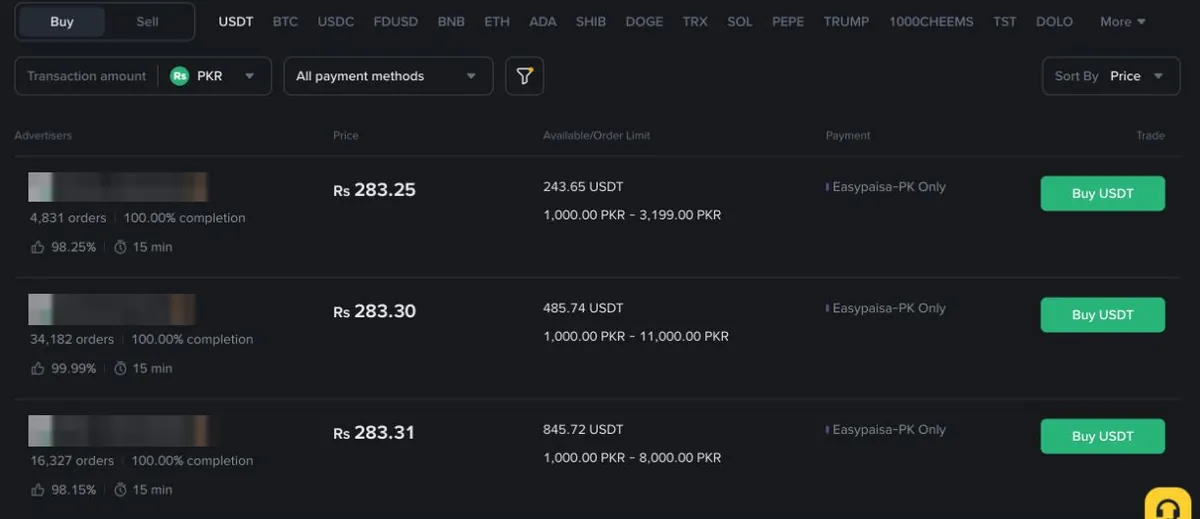
Check your wallet’s daily limit before your first order. If a payment fails halfway, the order can time out.
Is it legal to use Binance in Pakistan?
Buying crypto isn’t an offence for individuals in Pakistan. Under the Virtual Assets Act 2026, PVARA licenses providers, and Binance received a no-objection certificate in December 2025. That is a first step, not a full operating licence. See is Binance legal in Pakistan for the latest status, and check PVARA yourself.
Common questions
Can I add a referral code after registering? No. It can only be entered during registration and can’t be changed afterwards.
Do I need verification to buy USDT? Yes. Unverified accounts are Withdraw Only, and P2P also requires SMS verification and 2FA.
How long does verification take? Often minutes. Binance says most reviews finish within 48 hours.
Can I open a second account? Not with the same identity. If you’ve lost access, recover the original account through Binance support.
After your account is ready
Compare today’s USDT rate in Pakistan across Binance, OKX and Bybit, then follow how to buy USDT on Binance P2P. Read P2P safety in Pakistan before your first trade.
Steps checked against Binance’s help pages on registration and identity verification on 4 October 2026. Screens can change; follow what your app shows.
How to open a Binance P2P account
Referral link: coinglee may earn a commission from the exchange. Your price doesn't change.
Crypto-assets are volatile and you can lose money. No exchange holds a full PVARA licence yet; trade only what you can afford to lose.